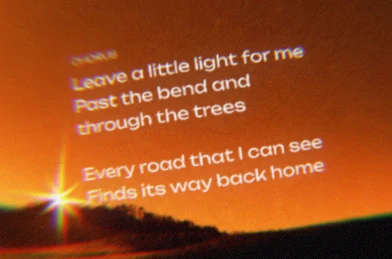
Acoustic folk
Acoustic folk, fingerpicked guitar, warm intimate vocals and a relaxed pace.
Listen
 ACE Music
YOUR LYRICS → A COMPLETE SONG
Turn your words
into a song with vocals.
Use your own lyrics as the words to be sung. Describe the genre, instruments and vocal style, then generate a complete song with ACE Music.
Try an original lyric exampleContinue to Custom in Create with both fields filled in. Sign in if needed, then review and click Generate.
Your lyrics and section labels
Genre, instruments and vocals
A complete song audio file
LYRIC EXAMPLES
These original sample lyrics are editable. Select an example to fill both fields above.
Acoustic folk, fingerpicked guitar, warm intimate vocals and a relaxed pace.
Indie pop with clean guitar, a steady drum beat and bright, conversational vocals.
A slow electronic ballad with soft vocals, spacious synths and rounded bass.
HOW IT WORKS
Write or paste your lyrics. Keep the line breaks and separate verses and choruses so the text is easy to review.
Add a style if you have one in mind, such as acoustic folk with warm vocals. Otherwise, continue and we’ll fill in a pop style that you can change in Create.
Continue to Custom in Create. Review the Lyrics and Style fields, then click Generate. The current tool requests two song versions and adds them to Library, where you can follow progress and listen when ready.
PREPARING YOUR INPUT
Use line breaks to organize the words. Labels such as [Verse] and [Chorus] mark sections in the lyrics editor. Review repeated lines and the order of the sections before generating.
“Acoustic folk, fingerpicked guitar, warm intimate vocals and a relaxed pace.”
Start with a few concrete details. To compare versions, keep the lyrics and change one part of the style description, such as the instruments or pace.
STARTING FROM SOMETHING ELSE?
QUESTIONS
This page sends your lyrics and style to the Lyrics and Style fields in Custom mode. Click Generate there to request complete song audio with vocals and accompaniment. No reference audio is required.
Not on this page. If you leave it blank, we add a pop style with clear vocals, piano, guitar and a steady mid-tempo beat. You can edit it in Create before generating.
No. You can start with lyrics and a style description. If you already have a melody, ACE Music also supports starting from a recording, keyboard performance or MIDI.
Keep line breaks between lyric lines and separate sections with a blank line. The editor supports labels such as [Verse] and [Chorus]. Use the preview examples as a starting format.
Keep the words to be sung in the lyrics field. Put genre, mood, instruments and vocal-style descriptions in the separate style field in Create.
Yes. Keep your lyrics and change the style description before generating another version. Each generation uses credits.
Downloads depend on your plan. The main output is complete song audio. When notation is available, score and MIDI options describe the main melody and chords, rather than every instrument part.
ACE MUSIC